Restaurant purchase order: free template + WhatsApp dispatch (2026)
Restaurant purchase order template PDF + Excel. WhatsApp and email dispatch method, legal format.
TL;DR. A restaurant purchase order is the document you send your supplier to trigger a delivery. A free PDF or Excel template gets you started fast. But the real question isn't the template — it's how you generate one in 2 minutes at 6pm after service, and how you send it on WhatsApp in one click without ever thinking about it again.
Context / Definition
The purchase order is the commercial document formalising your request to a supplier. It states what, how much, at what price and for when. Without it, you're exposed to disputes, missed lines, and incorrect deliveries. Many operators skip it — and pay for it heavily during a stockout or an invoicing disagreement.
Restaurant purchase order: a document issued by the operator to a supplier, listing the ordered products, quantities, unit prices and requested delivery date. It carries commercial evidentiary weight as long as it's preserved.
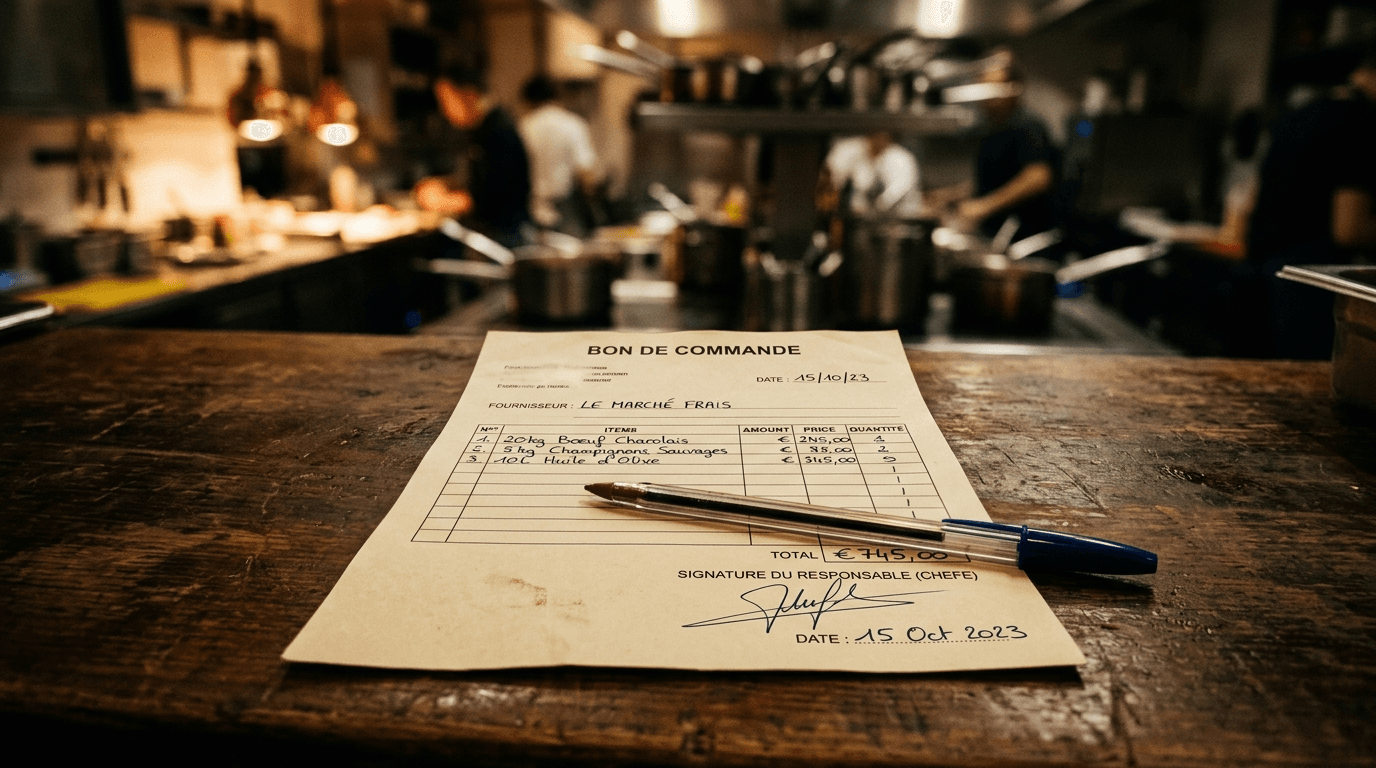
What information must a purchase order contain?
A valid purchase order isn't complicated. It needs seven specific elements to hold up in a dispute or an inspection.
The mandatory items:
- Sender: restaurant name, address, business reg number (Companies House / SIRET / EIN)
- Recipient: supplier name, contact details
- Issue date
- Product description: clear naming (not "beef" — "bavette steak portioned 150g")
- Quantities ordered
- Unit prices and total ex-VAT + VAT
- Requested delivery date
A PO number is legally optional but indispensable in practice for tracing your orders inside optimal stock management.
PDF or Excel format — does it matter?
PDF is locked, clean to send, unreadable without specific software. Excel is editable, handy for auto-calculating totals, but fragile if opened on mobile.
For a quick WhatsApp or email dispatch, PDF wins every time.
How to build an effective restaurant purchase order
Here's the simple method to stop wasting time on this.
- Open your Excel or PDF template (download section at the bottom of the article)
- Fill in your supplier and delivery date — two fields, not ten
- List your products with quantities and unit prices — prices come from your current supplier mercurial
- Check the ex-VAT total — if you're unsure on quantities, cross-reference with your demand calc via recipe cards
- Export to PDF and send by WhatsApp or email
Never type prices by hand on every PO. If your mercurial is current in a central file, it's a simple copy-paste — or better, software does it for you. Time saved per week is immediate.
The manual method holds up to 2-3 suppliers. Beyond that, you start losing time and making mistakes. At that point, look at software that handles everything.
Case study — Lunch Wagon, Albi
When I took over Lunch Wagon in 2023, I had three regular suppliers: meats, dry goods, fruit and veg. Mondays, Wednesdays and Fridays, I placed orders.
At the start I did it by hand after service. I'd type a quick WhatsApp message — "hey, I need 4kg of bavette, 2 tubs of Heinz ketchup 5L, delivery Thursday morning" — and off it went. Convenient at the time. Catastrophic for follow-up. When a delivery was incomplete, I had no clean record to push back on. When I wanted to compare volumes week-on-week, I had nothing.
After a few weeks, I structured a template PO per supplier with product references and standard units. Quantities adjusted to the rhythm of the week. PDF export, WhatsApp send. Two minutes after service.
Six-month result: 100% of orders traced, zero stockouts on critical SKUs, and 2 hours per week saved on supply management. Those 2 hours, I redirected into prep or event prospecting — which directly contributed to building a quote pipeline a year out.
The shift to a semi-automated process mostly let me stop wondering "did I order that?" When you're working solo on a food truck, that mental load matters.
Comparison — manual PO vs automated
| Criterion | Manual PDF/Excel template | Dedicated software (auto) |
|---|---|---|
| Up-front cost | Free | £25-90/month |
| Fill-in time | 5-15 min/order | < 1 min (auto-generated) |
| Traceability | Manual, in your files | Centralised, full history |
| Price update | Manual | Automatic via mercurial |
| WhatsApp/email send | Manual (copy-paste PDF) | 1 click |
| Auto demand calc (recipe cards) | No | Yes |
| Legal force | Yes | Yes |
| Best for | 1-3 suppliers, getting started | 3+ suppliers, regular volume |
The manual template is enough to start, or for a venue with few SKUs and few suppliers. As soon as you cross 3 regular suppliers and 30+ SKUs, time wasted manually exceeds the cost of a tool by far. To automate the whole ordering process, the maths flips fast.
Common mistakes on purchase orders
Placing orders via WhatsApp voice notes with no written trail: you have zero recourse if the delivery is incomplete or the price billed doesn't match what was agreed. A supplier dispute can cost hundreds of pounds on a single order.
- Not putting unit prices : you place an order, the supplier delivers, the invoice arrives with a price hike you didn't see. Without the price on the PO, you have nothing to push back on.
- Reusing the same PO without updating : last week's quantities aren't this week's. A lazy copy-paste is a risk of overstock or stockout.
- Not archiving sent POs : when your accountant asks for purchase records or a supplier disputes an order, you need to find the PO in 2 minutes — not 2 hours.
- Forgetting the requested delivery date : obvious, yet missing on half the in-house POs I've seen walking through kitchens.
Pitfalls to avoid on the PO
Three errors come up systematically when I drop in on chef colleagues. First, vague descriptions: writing "beef" instead of "beef bavette 160g portioned x30" opens the door to supplier substitutions. Second, no unit price on the PO: if you don't check the rate at order time, you discover it on the invoice — too late to negotiate. Third, forgetting the requested delivery date: a Tuesday-night order for "ASAP" delivery always lands at 2pm Friday, mid-rush.
Never sign a delivery note without a counter-weigh and without checking the description matches the PO exactly. 8% of foodservice deliveries contain at least one discrepancy on price or weight — if you don't check, you pay that gap every week.
PO discipline is the first line of defence on your food cost. It's what keeps your supplier mercurial current and your recipe cards reflecting real costs.
To go further and compare software that automates PO generation, see our best restaurant software 2026 comparison.
Conclusion
A restaurant purchase order is three things at once: legal protection, traceability tool, and a time-saver if you structure it well from day one.
Keep this:
- The seven mandatory items are non-negotiable — without them, the PO is worth nothing in a dispute.
- The PDF/Excel template is enough to start or for a small supplier base. Beyond three regular suppliers, a dedicated tool earns more than it costs.
- WhatsApp dispatch has legal force — provided you keep your exchanges and PDFs.
The real question after structuring your POs is how the quantities calculate themselves automatically based on what you've sold and what's left. That's exactly what Onrush does — the PO comes out by itself after service, you review, you send.
Tu veux voir comment Onrush gère ça sur ton restaurant ?
Démo 20 min, sans engagement. On regarde tes vrais chiffres.
Demander une démo →Articles liés
Automate restaurant supplier orders: complete 2026 guide
Auto-generated supplier orders based on sales + stock, live mercurial, WhatsApp purchase orders. Method + software.
Restaurant mercurial: tracking supplier prices live (2026)
Mercurial: definition, Excel vs software, automatic cascade onto recipe cards. Recover 3 points of food cost.
Best HACCP software 2026: comparison + criteria (top 5)
2026 comparison of restaurant HACCP software: temperature logs, food safety management, mobile, EHO alerts. Top 5 reviewed.
Best food cost software 2026: comparison + selection criteria
2026 comparison of restaurant food cost software: price cascade, theoretical/actual, POS integrations. Top 5 reviewed.
Last updated 2026. Written by Cyril Quesnel, founder of Onrush, chef and entrepreneur (La Verrerie 2015-2018, Lunch Wagon 2023-2026).